Loading
Loading
Loading
Loading
Loading
Loading
Loading
Loading
Loading
Program Overview Weekly Schedule Course Outline Instructors What You Gain Investment Certificate Requirements Enroll Now →
Navigation
Faculty of Software Engineering

Become a Frontend Developer in 3 Months.

Live classes. Real AI tools. Projects that ship. This is where code stops being theory.

3Months
5Sessions / week
60Total sessions
3Live projects
Course Statement
"We don't just teach you to code we train you to show up, build, and finish. Every week you attend live classes, practice with AI, build with your peers, and prepare for the job market. By Demo Day you won't be a student with certificates; you'll be a developer with shipped projects and a direct line to companies that are hiring."
Program Overview

Three months. Three skills. Three shipped projects.

Each month ends with a real deliverable, deployed live on the internet and each one builds on the last.

1
2
3
Month 1 — HTML & CSS Month 2 — JavaScript Month 3 — React
Month 1

HTML & CSS

The web's foundations: semantic HTML, the box model, Flexbox, Grid, responsive design, animations.

Deliverable: a fully responsive portfolio website, hosted live.
Month 2

JavaScript

Variables to functions, DOM manipulation, events, arrays & objects, async, the Fetch API and local storage.

Deliverable: your portfolio, now interactive with live API data.
Month 3

React

Components, props, state, hooks, React Router, Tailwind, deployment to Vercel — and Demo Day.

Deliverable: a deployed multi-page React application.
Weekly Schedule

5 sessions per week, 5 course codes.

A complete system — live teaching, AI tutoring, career coaching, AI tooling and peer building.

FOR 101

Core Frontend Development

Mr. Okpe
2× / week — Monday & Wednesday
FOR 102

Virtual AI Class with Kemi

Kemi (AI Virtual Tutor)
1× / week — Tuesday
FOR 103

Career Readiness Class

Mr. Joshua
1× / week — Thursday
FOR 104

AI Application in Frontend Dev

Mr. Joshua
Every two weeks — alternating Fridays
FOR 105

Peer Learning & Practical (Builders Class)

Peer-led groups of 5
1× / week — Friday (alternating with FOR 104)
Course Outline

The complete outline — all five course codes.

Tap any course code to see exactly what happens, week by week, for all three months.

FOR 101
CourseCore Frontend Development
•• •• •••••Mr. Okpe · 24 sessions · Mon & Wed

Month 1 — HTML & CSS (Weeks 1–4)

  • Week 1 · Foundations of the Web: how the internet and browsers work, frontend vs backend, setting up VS Code, your first HTML file — then full HTML document structure, semantic HTML, and starting your portfolio page skeleton.
  • Week 2 · CSS Foundations: connecting CSS to HTML, selectors, colors and typography — then the full CSS Box Model, backgrounds, and styling your portfolio's header, about section and project cards.
  • Week 3 · CSS Layout: Flexbox from scratch (responsive navigation bar) — then CSS Grid fundamentals and combining Flexbox + Grid in one layout.
  • Week 4 · Responsive Design & Project: media queries, mobile-first breakpoints — then animations, transitions, CSS variables and final polish. Deliverable: a fully responsive portfolio site live on GitHub Pages or Netlify.

Month 2 — JavaScript (Weeks 5–8)

  • Week 5 · JS Foundations: variables, data types, operators, the console — then functions, arrow functions, parameters and return values, wired into your portfolio.
  • Week 6 · DOM & Events: selecting and changing elements with JavaScript — then event listeners, an interactive contact form with validation, and showing/hiding elements dynamically.
  • Week 7 · Arrays, Objects & Logic: map, filter, reduce, forEach and a dynamic projects section rendered from data — then objects, loops, conditionals and a mini quiz feature.
  • Week 8 · Fetch, APIs & Project: promises, async/await, the Fetch API with a real public API — then local storage, error handling and final polish. Deliverable: your portfolio upgraded with full interactivity and live API data.

Month 3 — React (Weeks 9–12)

  • Week 9 · React Foundations: why React exists, Vite setup, JSX and your first component — then props, rendering lists, and rebuilding your portfolio as React components.
  • Week 10 · State & Interactivity: useState, controlled forms and an interactive skills filter — then useEffect, fetching API data properly with loading and error states.
  • Week 11 · React Router: multi-page apps with Link and NavLink — then dynamic routes, project detail pages, and Tailwind CSS for rapid styling.
  • Week 12 · Final Project & Demo Day: production builds, deploying to Vercel, accessibility and performance audit — then Demo Day: present your live app to the cohort, instructors and invited guests. Certificate eligibility confirmed; job placement pipeline activated.
FOR 102
CourseVirtual AI Class with Kemi
•• •• ••••••Kemi (AI Tutor) · 12 sessions · Tue

Month 1 — AI-Supported HTML & CSS

  • Week 1: welcome to the virtual classroom — how Kemi works, AI-generated quizzes on HTML structure, personalized explanations of anything from Monday/Wednesday classes you didn't fully get.
  • Week 2: CSS review + live exercise: paste broken CSS into ChatGPT, interpret the response, fix your code. Kemi reviews the week's common mistakes.
  • Week 3: Flexbox & Grid deep dive — how to read, understand and modify AI-generated layout code instead of copying it blindly. Live feedback on a layout challenge.
  • Week 4: responsive design review + portfolio review session — Kemi gives every student personalized feedback before final Month 1 submission.

Month 2 — AI-Supported JavaScript

  • Week 5: using ChatGPT to explain JavaScript errors in plain language + intro to GitHub Copilot suggestions.
  • Week 6: live debugging session — diagnosing broken JavaScript manually and with AI, then discussing what the AI got right and what it missed.
  • Week 7: generating mock datasets with AI, then writing JavaScript to display and filter them — and verifying AI-generated data before using it.
  • Week 8: using AI to understand API documentation, implementing the call yourself + Month 2 portfolio feedback from Kemi.

Month 3 — AI-Supported React

  • Week 9: v0.dev by Vercel — generate a component from text, read it, understand it, integrate it. Using AI to learn vs using AI to skip learning.
  • Week 10: AI-assisted debugging of the most common useState and useEffect mistakes — you implement the fix yourself.
  • Week 11: scaffolding multi-page React structure with AI, reviewing Copilot's dynamic route components, and knowing when to override AI suggestions.
  • Week 12: pre-Demo Day: Kemi reviews every deployed app, final AI-assisted accessibility & performance audit, and a closing address to the cohort.
FOR 103
CourseCareer Readiness Class
•• •• ••••••Mr. Joshua · 12 sessions · Thu

Month 1 — Identity & Professional Foundation

  • Week 1 · Who are you as a developer: the Nigerian & African tech market, employed vs freelance vs remote paths, and writing your developer identity statement.
  • Week 2 · Online presence: LinkedIn optimization, GitHub profile + README craft, and building in public on X from Day 1.
  • Week 3 · Portfolio as your CV: what to show as a beginner, writing project descriptions that communicate value, presenting your Month 1 project to impress employers.
  • Week 4 · CV writing: ATS-readable formatting, tailoring for employed/remote/freelance applications, small-group peer review.

Month 2 — Freelance & Job Search Strategy

  • Week 5 · The job market: what entry-level roles really look like, the job boards worth using (LinkedIn, Wellfound, Remote OK, Turing, Andela + Nigerian boards), realistic timelines.
  • Week 6 · Freelancing: finding your first client on Upwork/Fiverr/direct outreach, pricing in Naira vs USD, receiving international payments, and proposal-writing that wins.
  • Week 7 · Cold outreach & applications: outreach messages, short memorable cover letters, following up well, and a job-search tracking system.
  • Week 8 · Interview prep: what frontend interviews look like, technical basics, behavioral answers, and a paired mock-interview exercise.

Month 3 — Positioning, Negotiation & Launch

  • Week 9 · Personal branding: consistency across platforms and the build-in-public strategy without feeling exposed.
  • Week 10 · Negotiation: evaluating offers and contracts, what to negotiate, red flags, equity and benefits in Nigerian tech vs remote roles.
  • Week 11 · Demo Day prep: presenting to non-technical audiences, writing a project case study, and rehearsal with feedback.
  • Week 12 · Post-graduation plan: a 30-day job search plan, weekly goals, staying accountable — and how Webbo3's hiring partner network works for you next.
FOR 104
CourseAI Application in Frontend Dev
•• •• ••••••Mr. Joshua · 6 workshops · alt. Fri

Month 1 — AI Tools for HTML & CSS

  • Session 1: your AI toolkit (ChatGPT, GitHub Copilot, v0.dev, Cursor), prompt-writing for frontend tasks, and generating + improving an HTML structure live.
  • Session 2: AI-accelerated CSS — Copilot autocomplete in VS Code, a responsive card built in under five minutes, and explaining every line of AI-generated CSS yourself.

Month 2 — AI Tools for JavaScript

  • Session 3: debugging JavaScript with ChatGPT, prompts that produce working functions, and the most important rule: never use AI code you cannot explain.
  • Session 4: GitHub Copilot in depth — accepting, modifying and rejecting suggestions, and building a complete API integration live with critical review.

Month 3 — AI Tools for React

  • Session 5: v0.dev for production-ready React components — describe, generate, read, customize, integrate into your own project.
  • Session 6: Cursor as an AI-native editor — refactoring, performance, accessibility fixes, AI-written tests, and an AI-assisted code review of your Demo Day project.
FOR 105
CoursePeer Learning & Practical
•• •• ••••••Groups of 5 · 6 sessions · alt. Fri

Month 1 — HTML & CSS Building Tasks

  • Session 1: your group of five builds one shared webpage — every member owns a section, one member leads responsiveness and final review, and everyone posts a two-sentence reflection.
  • Session 2: a landing page for a fictional Nigerian business using both Flexbox and Grid — shipped to a shared GitHub repo, deployed live, presented as a 60-second group voice note.

Month 2 — JavaScript Building Tasks

  • Session 3: a group-built interactive app (tip calculator, countdown timer, quote generator or to-do list) with every member's commits visible in the repo.
  • Session 4: an app that fetches real data from a public API (trivia, weather or country data) with loading and error states — deployed live with a group voice-note explainer.

Month 3 — React Building Tasks

  • Session 5: a multi-component React app: 4+ components, useState, props between components, clear structure and traceable individual commits.
  • Session 6: the final group build — a real-problem React app (events listing, recipe finder, study timer, job board…) with React Router, live API data, deployed on Vercel, plus a written README. Reviewed by Mr. Okpe as Demo Day preparation.
Your Instructors

Learn from people (and an AI) who show up for you.

Mr. Okpe

Mr. Okpe

Lead Instructor — FOR 101

Takes you from your first HTML tag to a deployed React application across 24 live, instructor-led sessions — and reviews your final group build before Demo Day.

Kemi

Kemi

AI Virtual Tutor — FOR 102

Your personal AI tutor. Every Tuesday, Kemi reviews the week's material, quizzes you, debugs with you, and gives personalized feedback on every project you submit.
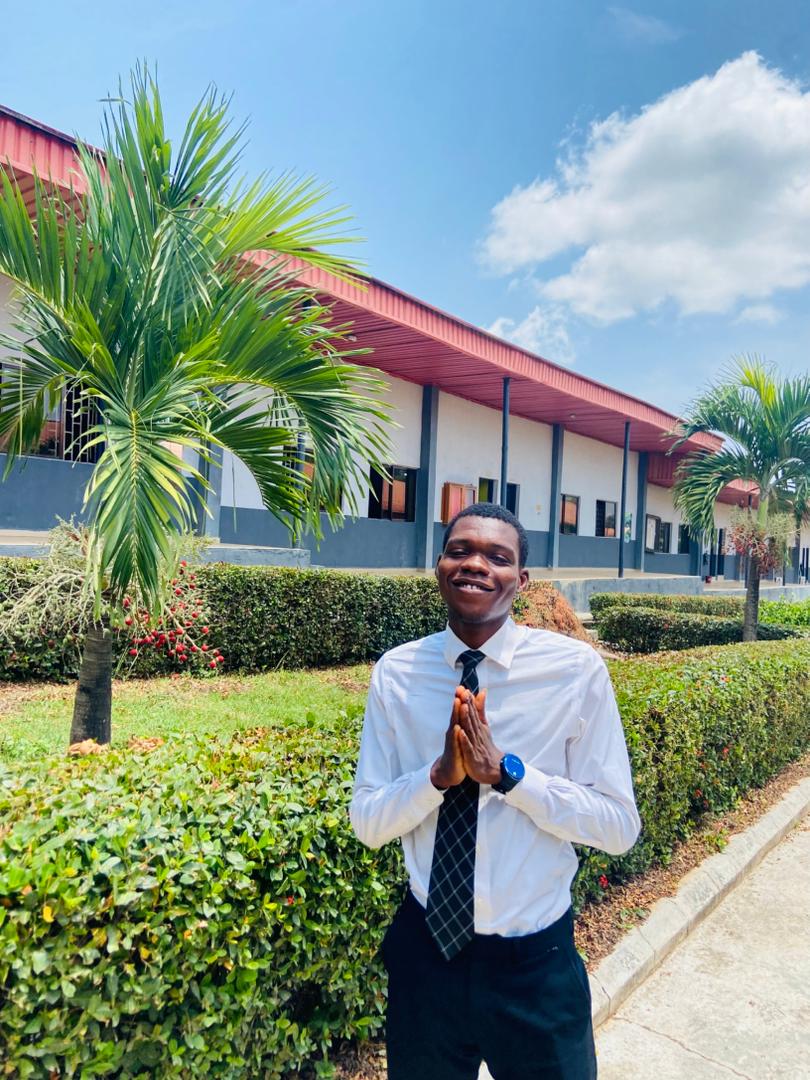
Mr. Joshua

Mr. Joshua

Career Readiness & AI Workshops — FOR 103 & 104

Turns you into a hireable developer: CV, LinkedIn, freelancing, interviews, negotiation — plus hands-on workshops on ChatGPT, Copilot, v0.dev and Cursor.

👥

Your Builders Group

Peer Learning — FOR 105

Five students, one shared codebase. You build real projects together every other Friday — because developers who can collaborate get hired first.

After the Program

What you walk away with.

This is not a certificate factory. Every graduate leaves with proof of work and a pipeline to opportunity.

3 Deployed Projects

A responsive portfolio, an interactive API-powered upgrade, and a multi-page React app — all live on the internet with shareable URLs.

Faculty Certificate

The Faculty of Software Engineering certificate of completion — earned, not given, by meeting all five completion requirements.

Demo Day

Present your deployed application to the cohort, instructors and invited guests — real presentation experience employers value.

Hiring Partner Referral

Graduates are referred directly into the Webbo3 hiring partner network the moment they qualify.

The Graduate Showcase Page

After you finish, we build a special showcase page for our serious, graduating students — your profile, your projects, your Demo Day work. We hand this page directly to our partner companies. When they need to employ developers, they pick straight from that page. Show up, build, finish — and let the opportunities come find you.

Certificate Requirements

How you earn the certificate.

Meet all five by the end of Month 3 and you graduate into the hiring partner network.

Attend at least 75% of FOR 101 sessions — that's 18 of the 24 core sessions.

Complete and submit all three monthly projects: the portfolio, the interactive upgrade, and the deployed React application.

Participate in at least 4 of the 6 Builders Class sessions with traceable contributions in shared GitHub repositories.

Complete all three monthly commitment

Present your work at Demo Day in Month 3.

Your admission has 3 stages.
Stage 1 starts now.

Commitment exam → your biodata → commitment fee. Then our team reviews your application within one hour.

I'm Ready — Enroll Now
Enroll Now