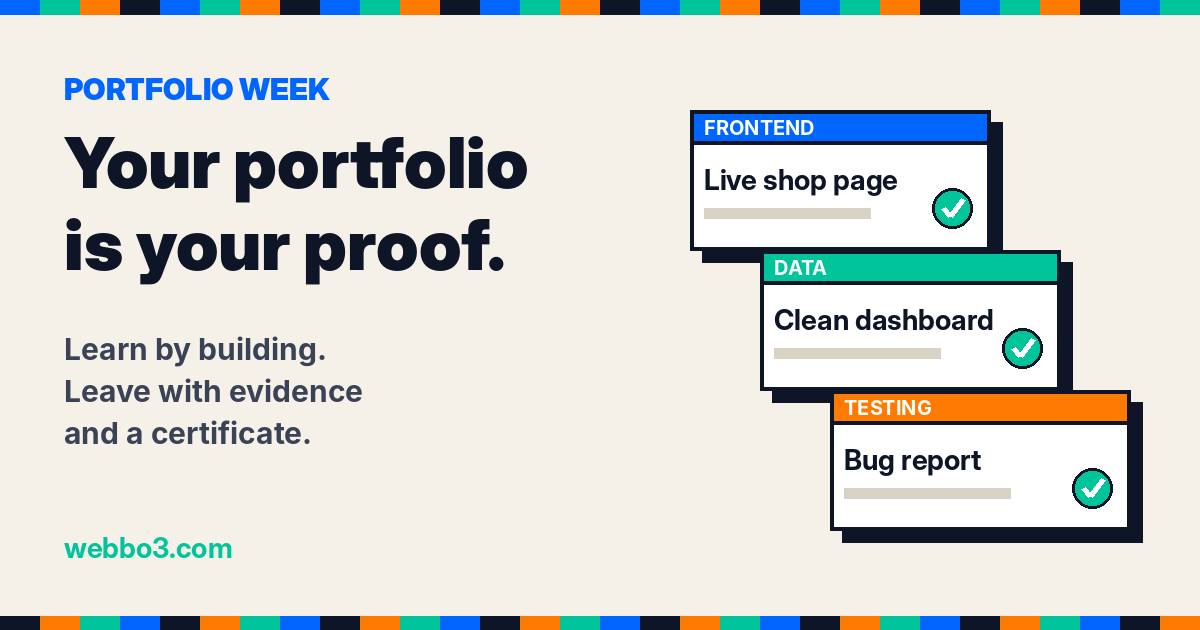
This week at Webbo3 Academy is Portfolio Week. Every class, every pod and every tutor is pointing at one question: if someone asked you today to show what you can do, what would you show them?
For a lot of people learning tech, the honest answer is "my certificate". A certificate matters. It says you showed up, did the work and finished. But it cannot show how you think, what you built or how good your work actually is. That is what a portfolio is for.
This short guide covers what a portfolio is, what goes in one, how to build yours step by step, and why the best time to build it is while you are still learning, not after.
What a portfolio actually is
A portfolio is a small collection of real work you have done, presented so a stranger can understand it in a few minutes. Each piece answers three questions:
- What was the problem? A shop that needed a website. A sales file nobody could read. An app with bugs nobody had found.
- What did you do? The steps you took, the tools you used and the decisions you made.
- What came out of it? A live page, a dashboard, a bug report, a clean dataset, a number the manager could finally trust.
A CV tells an employer what you can do. A portfolio shows them. When two people apply for the same junior role with the same certificate, the one with a link to real work is the one who gets the call, because the employer can see the work before they spend an hour on an interview.
Learn by building: the idea behind it
Here is the part most people get wrong. They think the order is: learn everything, get the certificate, then start building projects for a portfolio. That order wastes months, and it is the reason so many people finish a course and still feel they have nothing to show.
The better order is to build while you learn. Every class gives you a new skill, and every skill should end up inside something real. You learn HTML on Monday, and by Friday it is a page. You learn Power Query on Tuesday, and by the weekend you have cleaned a real workbook. The skill sticks because you used it, and the thing you built goes straight into your portfolio.
Do it this way and three things happen at once:
- You learn faster. Building forces you to meet the problems the lesson skipped: the file that will not load, the number that does not add up, the layout that breaks on a phone. Solving those is where the real learning is.
- You build experience while you are still a student. Working on a real brief, in a team, against a deadline is experience. It is the kind employers ask about, and you can talk about it in an interview because you lived it.
- You finish with evidence, not just a certificate. On the day your certificate arrives, your portfolio is already full.
What goes in a good portfolio
Quality beats quantity every time. Three to five strong projects are worth more than twenty copies of tutorial exercises. A good set looks like this:
- One project you are proud of. Your best, most complete piece of work. Put it first.
- One team project. Real work is done in teams. Show what the team built, and say clearly which part was yours.
- One project that solves a real problem. A real business, a real dataset, a real user. Not a "to do list app" from a video.
- One that shows your process. The messy middle: what went wrong, how you found it and how you fixed it.
What that looks like for your track
- Frontend development: live websites on GitHub Pages or a similar host, with the code on GitHub. A landing page, a small shop, a portal with working JavaScript. Every project should have a link people can click and use.
- Data analysis: a cleaned dataset with the steps written down, a dashboard in Power BI or Excel, and a short write-up that answers a real business question with a number.
- Software testing: test plans, clear bug reports with steps to reproduce, and a short summary of what you tested and what you found.
- Cybersecurity: write-ups of labs and challenges you completed, explaining what you checked, what you found and how you would defend against it.
- Design and content: before and after work, the brief you were given, and why you made the choices you made.
How to build your portfolio, step by step
1. Pick a direction
Decide what job you want your portfolio to win. A data analyst portfolio and a frontend portfolio look completely different. Choose one main direction so every piece pulls the same way.
2. Turn every class into a piece of work
After each class, ask: what can I build with this today? Keep a simple folder or document for each project from day one. Save your files, your screenshots and short notes as you go. Trying to remember everything at the end never works.
3. Work on real problems, ideally with other people
Projects with a real brief, a real dataset and teammates teach you the things employers care about most: reading a brief, agreeing who does what, handing work over and meeting a deadline. Say yes to every team project you are offered.
4. Write a short case study for each project
For every project, write a few short paragraphs: the problem, what you did, the tools you used, the result, and one thing you would do differently next time. That last line matters. It shows you can review your own work, which is one of the most valued skills in any team.
5. Make it easy to open
Put everything in one place with one link: a portfolio page, a GitHub profile with tidy READMEs, or a simple site. Every project needs a live link or clear screenshots. If an employer has to download a zip file to see your work, most of them will not.
6. Connect it to the rest of your profile
Add your portfolio link to your CV, your LinkedIn and your GitHub bio. When you finish a project, post about it: one picture, two lines on what you built and what you learnt. That is how people start to find you.
7. Keep it fresh
Replace weaker pieces as you get better. Your portfolio should always show the best of what you can do now, not what you could do six months ago.
Common mistakes to avoid
- Only tutorial projects. If thousands of people built the same thing from the same video, it does not show what you can do.
- No explanation. A link with no words forces the reader to guess. Two short paragraphs fix that.
- Broken links. Check every link before you send your portfolio to anyone.
- Hiding team work. Team projects are a strength. Just be honest about which part was yours.
- Waiting until it is "perfect". A finished, honest project beats a perfect one that never ships.
How it works at Webbo3 Academy
Webbo3 is built around learning by building, so your portfolio fills up as you learn:
- Real projects from the first weeks. Alongside the classes, you work on projects with a real brief: building pages and small shops in frontend, and cleaning workbooks and answering a manager's questions in data analysis.
- Pods: you learn in a team. You are placed in a pod of classmates. Each seat has its own role on a pod project, so you practise working the way real teams work: your part, handed over to the team, finished together.
- Tools inside the platform. Frontend students write and preview code in Webbo3 Code. Data students work in Webbo3 Sheets and Power Query style tools. The work you do there is real work you can show.
- A portfolio page that builds itself. Your Webbo3 portfolio collects your projects, your pod work, your classes and your progress automatically as you go. You do not start from a blank page.
- A certificate that records what you did. Your certificate is earned by attending classes and doing the work, and it carries a short record of what you actually did. Once you earn it, your portfolio opens up: add your GitHub, LinkedIn, links, skills and bio, and share a public link with anyone.
So you leave with three things together: the skills, the certificate, and the evidence.
The benefits, in short
- You stand out. Most applicants send a CV. You send proof.
- You have real experience to talk about. In interviews you can say "here is what I built, here is the problem we hit and here is how we fixed it", which beats any rehearsed answer.
- You learn more deeply. Building makes the knowledge stick far better than watching or reading.
- You gain confidence. It is much easier to apply for a job when you can see what you have already done.
- You open more doors. A good portfolio works for jobs, freelance clients, internships and remote roles, not just one kind of application.
- Your certificate means more. A certificate backed by real projects tells a much stronger story than a certificate alone.
Your Portfolio Week challenge
Before this week ends, do three things:
- Pick your best project so far and write its short case study: problem, what you did, result, one thing you would change.
- Check that every project you have has a working link or clear screenshots.
- Open your Webbo3 portfolio, see what is already there, and decide which project you will finish next to make it stronger.
Frequently asked questions
Do I need a portfolio if I already have a certificate?
Yes. They do different jobs. The certificate shows you completed the training. The portfolio shows the quality of your work. Employers trust them most when they see both.
How many projects do I need?
Three to five good ones is enough to start. One strong, well explained project is worth more than ten unfinished ones.
Can I include group projects?
Yes, and you should. Say what the team built and exactly what your part was. Working well in a team is a skill employers look for.
I am a complete beginner. Is it too early?
No. This is the best time. Start with your first small project and add to it as you learn. Your portfolio grows with you.
Start building
If you are already a Webbo3 student, this week is the week to finish one project properly and look at your portfolio with fresh eyes. If you are not yet, look at our courses and register to start learning by building. For a wider plan, read From Zero to First Tech Job: A 12 Month Plan.
Learn it. Build it. Show it.